Mailing Form 5472: Downloading the DHL Proof-of-Delivery PDF Step by Step

Key Takeaways
- After delivery confirms, click Get Proof of Delivery → enter verification info (phone number used at shipment)
- Choose both view-in-browser and email; the email provides your backup copy
- The PDF includes waybill, sender, recipient, full timeline, and delivery timestamp — sufficient proof for the IRS
- Also screenshot the tracking page as a secondary visual record
- Store both files locally with descriptive names (e.g., 5472-2025-proof-of-delivery.pdf)
The Step-by-Step: Downloading the Proof of Delivery (DHL Example)
Log into the courier website (DHL.com, FedEx.com, UPS.com). If you mailed under your own account, your shipments are listed on the dashboard automatically — click the relevant one. If someone else mailed on your behalf and gave you the tracking number, click Track at the top of the site, paste the tracking number, and click Track.
Look for "Get Proof of Delivery" After Delivery Confirms
On the tracking detail page, you'll see the step-by-step timeline: picked up, in transit, customs cleared, out for delivery, delivered. Once the status is "Delivered," a button appears labeled Get Proof of Delivery (DHL) or Request Signature Proof (FedEx/UPS). Click it.
Enter Verification Information
The courier needs to verify you're authorized to access the proof. DHL asks for a contact telephone number that matches the shipment record — enter the phone number you used when you booked the pickup. FedEx and UPS may ask for your account number or the sender's ZIP code.
If the verification fails, double-check that the phone number/ZIP you're entering matches exactly what was on the original shipping form. Format matters — DHL stores numbers with country codes, so +1-555-1234 might not match 5551234.
Choose PDF Format and View First, Email Second
DHL gives you two output options: view in browser, or email. Choose both. View in the browser first to confirm the PDF has the right shipment details (IRS recipient address, delivery date, signature image if available). Then click email and have it sent to your address — that's your backup copy.
The PDF is small (~50 KB) and includes: waybill number, sender address, recipient address (the IRS Ogden or Austin processing center), shipment timeline, delivery timestamp, and the recipient signature (where available).
What the Proof PDF Contains
A complete proof of delivery PDF includes:
- Shipment detail: waybill number, weight, ship date - Sender address (you) - Recipient address (IRS) - Shipment timeline: pickup, customs, transit milestones, delivery - Event log with timestamps for each status change - Delivery timestamp (date and time) - Recipient signature (where the IRS facility accepts signed delivery)
This is more than enough to prove timely filing to the IRS. The delivery timestamp is the legal filing date for the purposes of "timely mailed = timely filed" under the private delivery service rule.
Screenshot the Detail Page Too — Belt and Suspenders
After downloading the PDF, also take a full-page screenshot of the courier's tracking detail page. This isn't strictly necessary — the PDF is the authoritative document — but a screenshot of the tracking page provides a secondary visual record in case the PDF ever gets corrupted or the file format changes over the years.
Store the PDF and the screenshot in the same folder, named with the slug (e.g., 5472-2025-proof-of-delivery.pdf, 5472-2025-tracking-screenshot.png). If you ever need to retrieve this years later, the file names tell you everything at a glance.
The Defensibility Math
If you mailed before the IRS deadline (typically April 15 for calendar-year filers, June 15 for foreign owners with the automatic 2-month extension), and the proof of delivery shows the package was delivered on or before that date — actually, even after, because the postmark/ship date governs, not the delivery date — you're fully protected under the IRS's private delivery service rule. The example in the video: shipped well before April 15, delivered April 10, which is comfortably ahead of the deadline. Always aim to deliver before the deadline for extra safety, even though the rule technically uses the shipment date.
Frequently Asked Questions
What if the phone verification fails on the proof of delivery request?
The number you enter must exactly match what was on the original shipment record, including country code format. If it still fails, contact the courier's support — they can manually generate the proof after verifying your account ownership.
How long does the email with the proof PDF take to arrive?
Usually within minutes (DHL is fast). If it doesn't arrive within an hour, check your spam folder. Resend if needed from the courier's tracking page.
Does the IRS need the proof PDF proactively, or only if questioned?
Only if questioned. The IRS doesn't expect proactive submission of proof of delivery; they assume the filing was timely unless something flags it. Keep the proof in case you ever get a notice questioning the filing date — that's when you'd submit it as a response.
IRS Form 5472 Instructions
Official IRS source on irs.gov
Listen on Spotify
Money & Tax Talk with Rippa — 5/5 rating
Never miss an IRS deadline
Get free email reminders for Form 5472, state annual reports, quarterly estimated tax, and OBBBA rule changes — built for foreign-owned LLC owners. No spam. Unsubscribe anytime.
We respect your privacy. No spam, ever.
Need to file your foreign-owned LLC return?
Skip the CPA bill. Our guided wizard builds your IRS-ready filing package, step by step.
Includes its walkthrough video pack
Start filing →
Ask the AI tools, free
Tax Return Drafter, Catch-Up Planner, Form Reviewer, IRS Notice Decoder — purpose-built AI tools, no signup needed.
Free tier · BYOK Anthropic/OpenAI for power use
Browse tools →
Starting your foreign-owned LLC?
Vetted partners we use ourselves: doola & Firstbase for formation, Mercury for banking, Alohi for IRS faxing.
No-fluff recommendations, no Northwest
See partners →
More on Form 5472 & Foreign-Owned LLCs
 2:15
2:15Mailing Form 5472: Why a Tracking Number Isn't Proof (and What to Download Instead)
 3:00
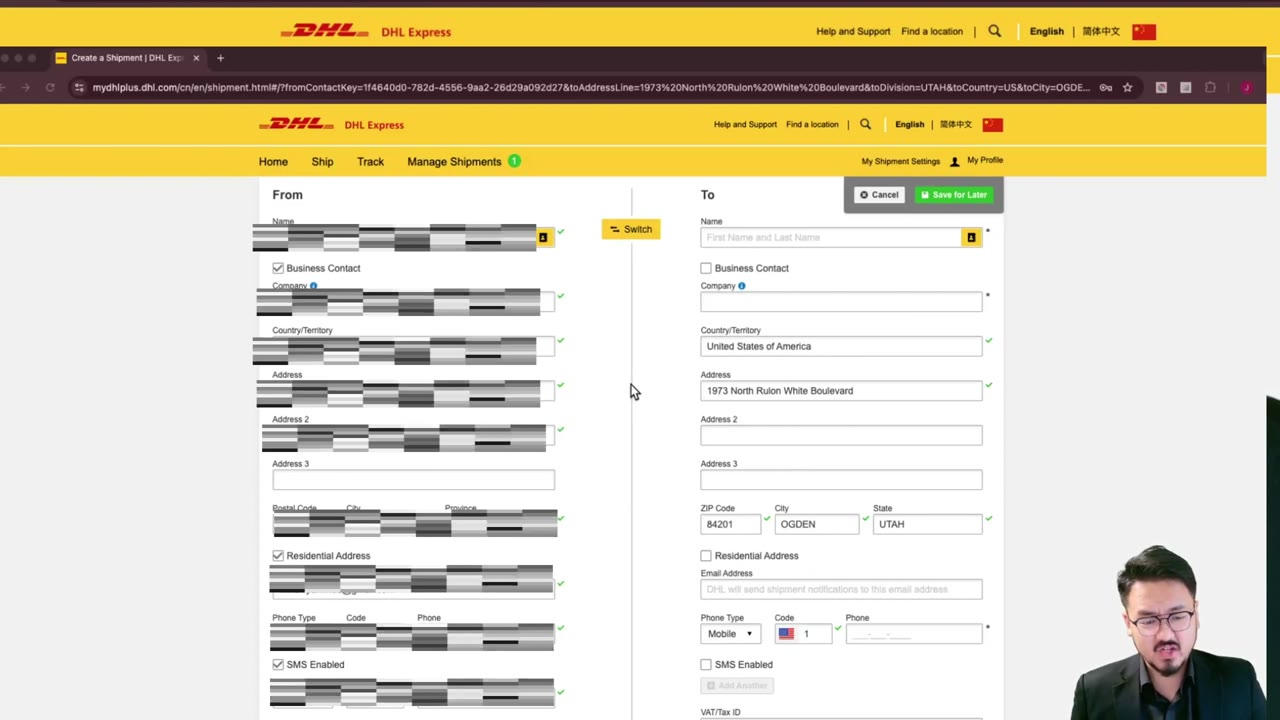
3:00DHL Express to IRS: How to Fill Sender Info When Outside the U.S.
How to File Form 5472 — Step-by-Step for Foreign-Owned LLCs
How to File Form 5472: Step-by-Step Guide for Foreign-Owned LLCs (2025-2026)
Foreign-Owned LLC IRS Mail Submission — 5-Point Pre-Mail Checklist
Foreign-Owned LLC IRS Mail Checklist: 5 Steps Before You Send Form 5472
 1:45
1:45Why Register Your Own DHL Express Account for IRS Filings
 2:30
2:30