Form 1120 Tax Year Demo: Beginning, Ending & Short-Year Filings

Key Takeaways
- Tax year line on Form 1120 must match Form 5472 exactly — mismatches are processing red flags
- Calendar year filers: fill the calendar year field with four digits (2025) and optionally the explicit dates
- Short year filers: leave calendar year blank, fill tax year beginning AND ending dates
- Date format: MM-DD-YYYY (U.S. convention) — NOT DD/MM or YYYY-MM-DD
- Mismatched or wrong tax year is the single most-checked field in IRS examination — get it right
Where the Tax Year Fields Live on Form 1120
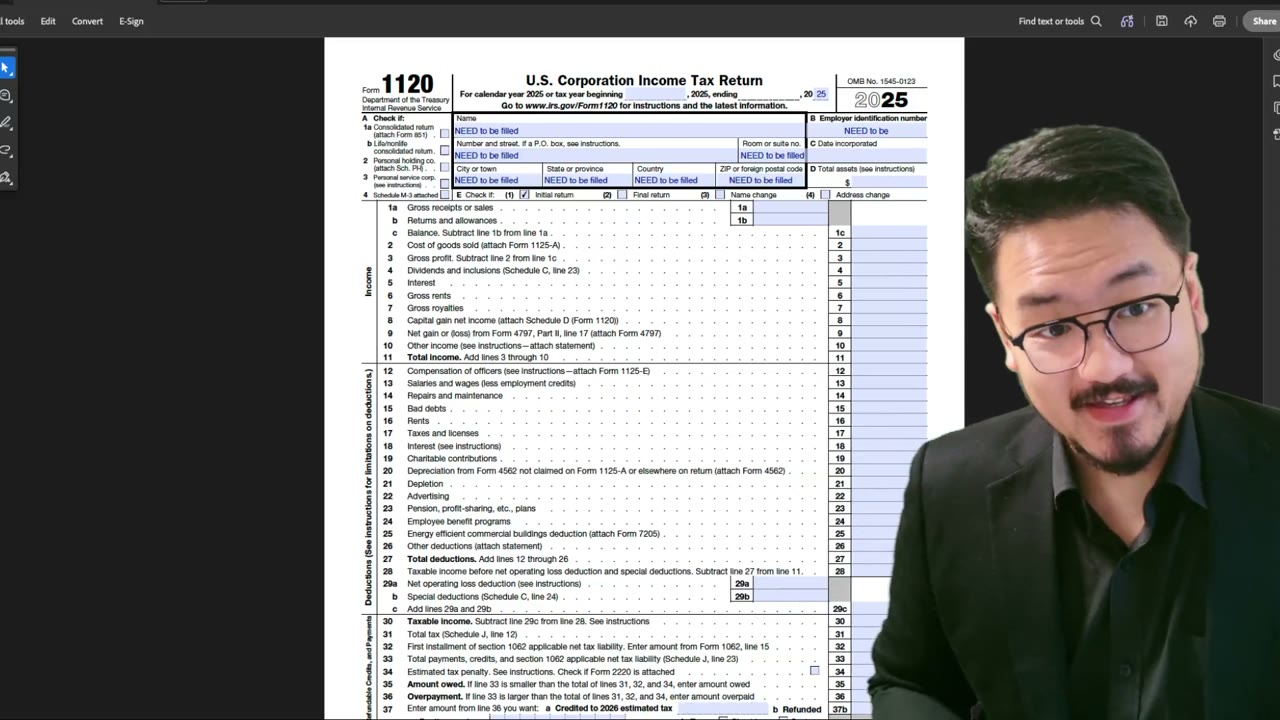
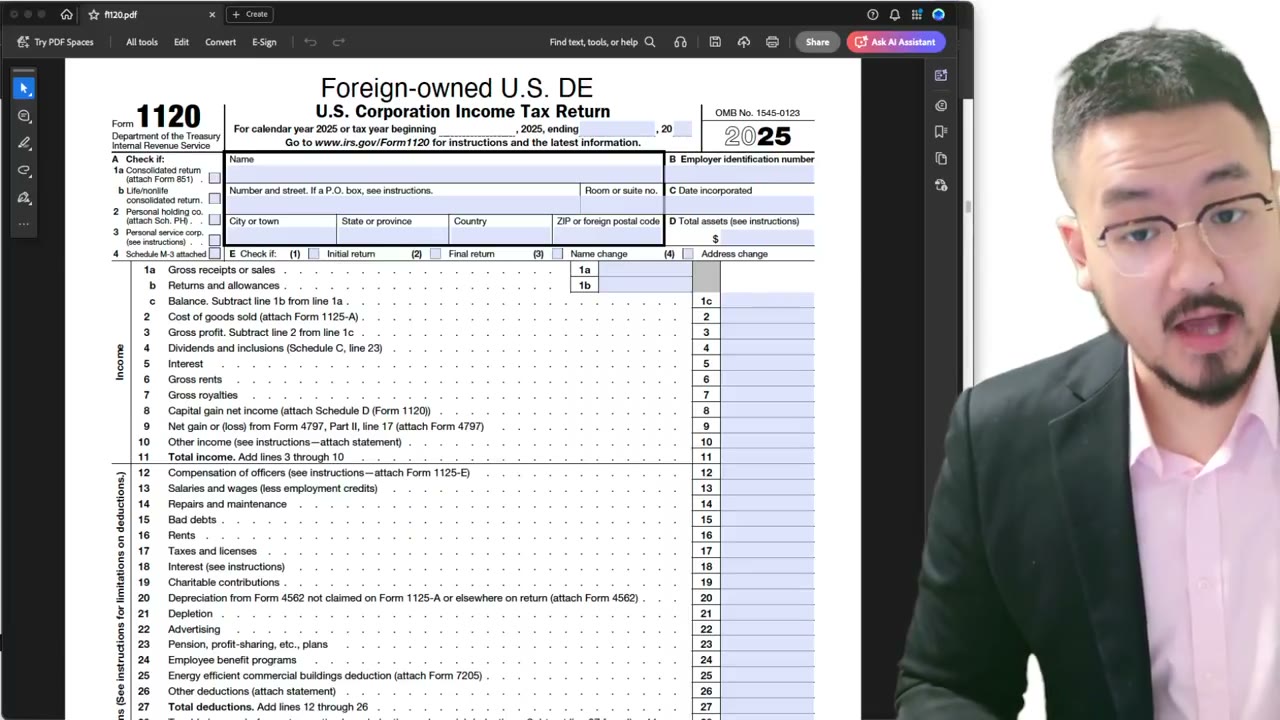
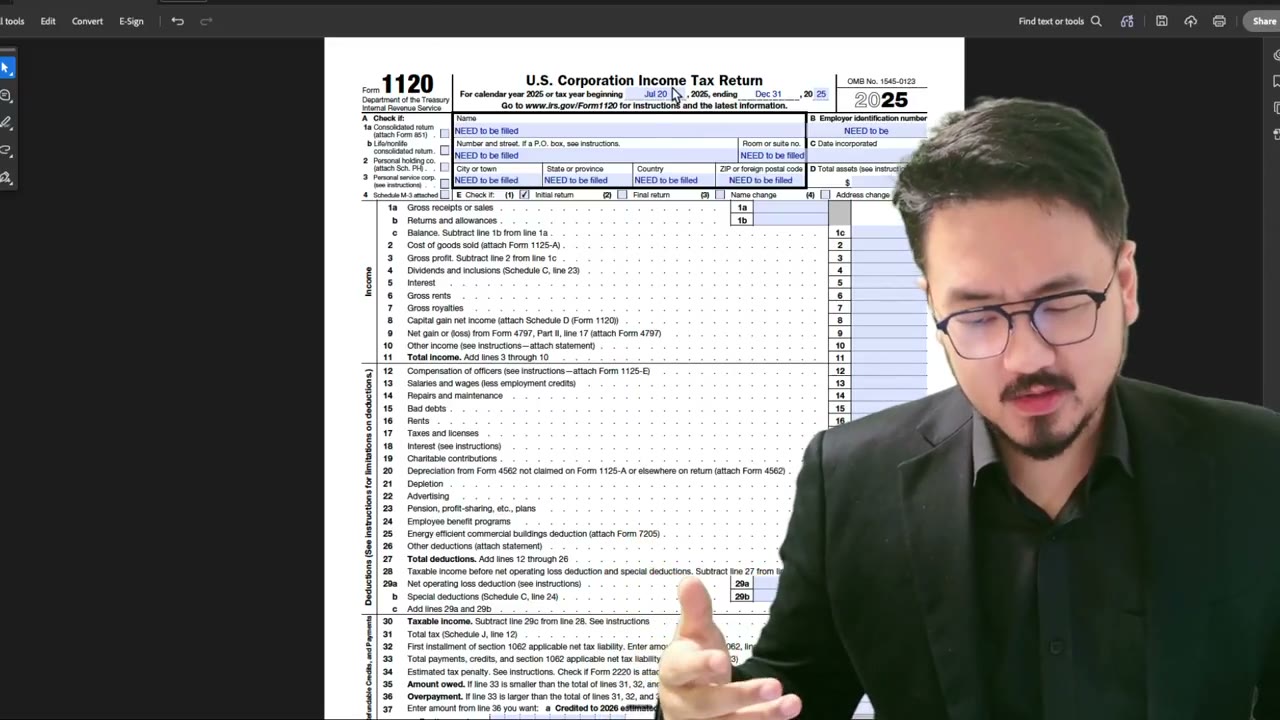
At the very top of Form 1120, page 1, you'll find a header line that reads: "For calendar year [YEAR], or tax year beginning [MONTH] [DAY], [YEAR], and ending [MONTH] [DAY], [YEAR]."
This line is the IRS's way of capturing your tax year regardless of whether you're a calendar-year, fiscal-year, or short-year filer. Below it are checkboxes for various filing statuses (Initial return, Final return, Name change, Address change) — but the tax year line itself is the substantive part.
The tax year on Form 1120 must match the tax year on Form 5472 exactly. Any mismatch is a processing red flag.
How to Enter Calendar-Year Dates
If you're a standard calendar-year filer (most foreign-owned LLCs are), filling the tax year line is straightforward:
- Write or print "2025" (or the relevant year) in the calendar year field. - Leave the "tax year beginning" and "tax year ending" fields blank — OR — fill them with 01-01-2025 and 12-31-2025 explicitly.
The IRS treats both approaches as equivalent. Filling the explicit dates is the safer practice because it removes any ambiguity. Software-prepared returns typically fill the explicit dates by default.
How to Enter Short-Year Dates
For a short tax year, leave the "calendar year" field blank and fill the "tax year beginning" and "tax year ending" fields with the explicit short period.
First-year example: LLC formed October 15, 2025. Calendar year field: blank. Tax year beginning: 10-15-2025. Tax year ending: 12-31-2025.
Final-year example: LLC dissolved June 30, 2026. Calendar year: blank. Tax year beginning: 01-01-2026. Tax year ending: 06-30-2026.
Accounting period change example: LLC transitions from calendar year 2024 to fiscal year ending September 30, 2025. Calendar year: blank. Tax year beginning: 01-01-2025. Tax year ending: 09-30-2025.
Format Conventions
Two format conventions to follow:
1. Date format: MM-DD-YYYY (the U.S. convention). Don't use DD/MM/YYYY (European format) — it'll be misread. Don't use YYYY-MM-DD (ISO format) — also misread by IRS optical character recognition.
2. Year-only field: Use the four-digit year (2025, not 25). The IRS form has space for four digits.
If typing into the PDF, the IRS fillable form usually has the date format pre-set. If hand-writing, use clear ASCII numerals and dashes/slashes.
What Happens if You Get the Tax Year Wrong
Common tax-year mistakes and their consequences:
Leaving both fields blank (no calendar year, no explicit dates): the IRS treats this as a substantially incomplete filing. CP-notice asks you to complete the field.
Mismatched dates between Form 1120 and Form 5472: the IRS may treat the filing as deficient under §6038A. CP-notice asks you to clarify — usually with a corrected pair of forms.
Wrong year (e.g., reporting 2024 transactions on a 2025-marked form): the IRS doesn't always catch this on initial filing, but it surfaces on examination. The wrong year is treated as the year you filed for — meaning your prior year's filing is now missing, which can trigger the §6038A penalty for the missing year.
Short year disguised as calendar year (checking calendar year when you formed mid-year): looks complete to the IRS but creates audit risk later. If they pull formation documents and see a mid-year formation, the "calendar year" claim becomes evidence of substantially incomplete or false filing.
Get the tax year right. It's the single most-checked field in the IRS examination process.
Frequently Asked Questions
If I'm a calendar-year filer, should I fill the explicit dates anyway?
Yes, as a safer practice. Filling both the calendar year field AND the explicit dates removes any ambiguity. Software-prepared returns do this by default. It's belt-and-suspenders compliance with no downside.
What date format does the IRS expect?
MM-DD-YYYY (or MM/DD/YYYY). U.S. convention. European DD/MM and ISO YYYY-MM-DD are both common mistakes for foreign filers — the IRS scanners can misread them.
What if my fiscal year doesn't match any standard calendar pattern?
List the actual start and end dates in the explicit date fields. The IRS accepts any 12-month period as a fiscal year, as long as the LLC was approved for that period via Form 1128 (for changes) or has used it consistently since inception (no approval required for the original choice).
Can I change my tax year on the form itself?
No. Changing your tax year requires Form 1128 filed in advance and approved by the IRS. You can't just write different dates on Form 1120 and have that change your tax year — the IRS will treat the discrepancy as an error and may treat the filing as incomplete.
IRS Form 1120 Instructions
Official IRS source on irs.gov
Listen on Spotify
Money & Tax Talk with Rippa — 5/5 rating
Never miss an IRS deadline
Get free email reminders for Form 5472, state annual reports, quarterly estimated tax, and OBBBA rule changes — built for foreign-owned LLC owners. No spam. Unsubscribe anytime.
We respect your privacy. No spam, ever.
Need to file Form 5472 + pro forma 1120?
Skip the CPA bill. Our guided wizard builds your IRS-ready filing package, step by step.
Includes its walkthrough video pack
Start filing →
Ask the AI tools, free
Tax Return Drafter, Catch-Up Planner, Form Reviewer, IRS Notice Decoder — purpose-built AI tools, no signup needed.
Free tier · BYOK Anthropic/OpenAI for power use
Browse tools →
Starting your foreign-owned LLC?
Vetted partners we use ourselves: doola & Firstbase for formation, Mercury for banking, Alohi for IRS faxing.
No-fluff recommendations, no Northwest
See partners →
More on Form 1120 Corporate Tax Return
 2:56
2:56Form 1120 Short Tax Year: How to Enter Beginning and Ending Dates (Foreign Owners)
 1:50
1:50How to Enter Your LLC Name on Form 1120 Step-by-Step Demo
 1:09
1:09How to Enter Your EIN on Form 1120 Step-by-Step Demo
 1:55
1:55Form 1120 Short Tax Year: How to Fill the Begin/End Dates and Initial Return Box
 5:05
5:05Form 1120 Tax Year Dates: IRS Convention MM/DD/YYYY vs. Hybrid English + Numeric
 2:00
2:00