Wet Ink Signature Required for Mailed IRS Returns (Form 1120 + 5472)

Key Takeaways
- Mailed returns require a wet ink signature — pen on the actual paper that's mailed
- Typed signatures, copy-pasted images, and DocuSign are NOT valid for mailed returns
- Faxed returns DO accept electronic signatures, since the fax itself is the electronic delivery
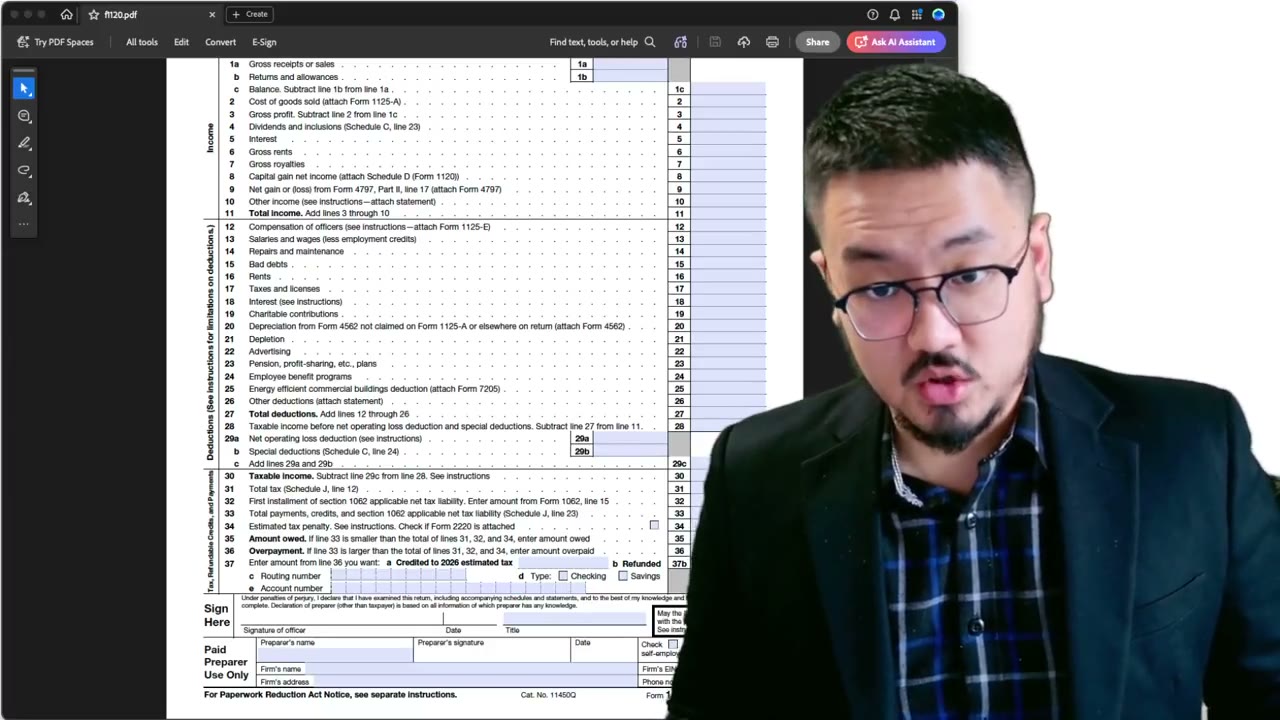
- Sign in dark blue or black ink, in the 'Sign Here' block on Form 1120 page 1
- Form 2848 is the only IRS-accepted Power of Attorney for signing authority delegation
What 'Wet Ink' Means
A wet ink signature is one made by physically applying pen to paper. The IRS uses the term to distinguish it from typed names, scanned signatures, copy-pasted PNGs, or e-signatures created in DocuSign or Adobe Sign.
For mailed returns, the IRS expects a wet ink signature on Form 1120 in the 'Sign Here' block on page 1. The signer is the LLC's responsible party — typically the sole foreign owner. You sign with a pen, on the actual sheet of paper you're about to mail.
Why Wet Ink Matters for Mailed Returns
The IRS requires a 'valid signature' under §6061 to treat a return as filed. For e-filed returns the IRS accepts electronic signatures via Self-Select PIN or Practitioner PIN. For faxed returns, the IRS has confirmed (in IRM 3.42.5 and related guidance) that on-screen or embedded electronic signatures are acceptable, since the fax transmission itself is treated as an electronic signature.
For MAILED returns, the IRS treats the paper as the original. A signature that's only a digital image — added to the PDF before printing — can be challenged as 'not a true original signature.' The safe path is to print the form, sign it with a real pen, and mail the physical signed copy.
Common Mistakes That Invalidate the Signature
Four mistakes the IRS has flagged:
A. Typing your name in a script font (like Lucida Handwriting or Brush Script) instead of signing. Typed text — regardless of font — is not a signature.
B. Pasting a scanned image of your signature into the PDF, printing it, and mailing the print. The IRS treats this as a photocopy, which is not an original signature.
C. Signing in light pencil. Pencil can be erased or fade, and isn't permanent. Use dark blue or black ink.
D. Signing on the wrong line. The signature block on Form 1120 is specifically labeled 'Sign Here' with a line for signature, a line for printed name, and a line for date. All three must be completed.
Who Can Sign on Behalf of the LLC
The signer must be a person authorized to bind the LLC. For a single-member LLC owned by one foreign person, that's almost always the owner themselves.
If you've authorized a CPA, enrolled agent, or attorney via Form 2848 (Power of Attorney and Declaration of Representative), they can sign on your behalf — but a generic power of attorney from your home country is NOT sufficient. Form 2848 is the only POA the IRS accepts for tax signing authority.
If the LLC is owned by a foreign corporation rather than an individual, the signer should be an officer of that corporation authorized to sign U.S. tax documents on the corporation's behalf.
Faxing vs Mailing: Which Signature Rule Applies?
If you fax: An electronic signature embedded in the PDF (drawn on screen, traced with a stylus, or pasted from a signature image) is fully accepted. The fax transmission itself constitutes the electronic delivery.
If you mail: The IRS expects a wet ink signature on the paper that arrives. Print the form, sign in pen, mail the original. Don't sign electronically, print, and mail — that's a printed image of a signature, not a real signature.
The safest combined approach for foreign owners with no easy access to U.S. mail: fax the return with an electronic signature. This avoids the wet ink issue entirely while still satisfying §6061. See our submission guide for the IRS fax number.
Frequently Asked Questions
Can I sign with a stylus on a tablet and print the signed PDF?
Strictly speaking, a printed image of any signature is treated as a photocopy by the IRS for mailed returns. For mail, sign with a physical pen on the printed page. For fax, the on-screen stylus signature is fully accepted.
What if I'm not physically present near a printer?
Use the fax submission method instead. Fax accepts electronic signatures, which solves the no-printer problem. Online fax services like Alohi Fax let you sign on-screen and transmit directly to the IRS.
Can my CPA sign for me?
Only if you've filed Form 2848 (Power of Attorney) authorizing them. A generic Power of Attorney from your home country, or even a U.S. general POA, is NOT sufficient for IRS tax signing — Form 2848 is the only accepted document.
What ink color should I use?
Dark blue or black. Avoid pencil (erasable), red ink (visually conflicts with IRS markings), or light-colored gel pens that may not scan cleanly during IRS document imaging.
IRS Form 5472 Instructions
Official IRS source on irs.gov
Listen on Spotify
Money & Tax Talk with Rippa — 5/5 rating
Never miss an IRS deadline
Get free email reminders for Form 5472, state annual reports, quarterly estimated tax, and OBBBA rule changes — built for foreign-owned LLC owners. No spam. Unsubscribe anytime.
We respect your privacy. No spam, ever.
Need to file your foreign-owned LLC return?
Skip the CPA bill. Our guided wizard builds your IRS-ready filing package, step by step.
Includes its walkthrough video pack
Start filing →
Ask the AI tools, free
Tax Return Drafter, Catch-Up Planner, Form Reviewer, IRS Notice Decoder — purpose-built AI tools, no signup needed.
Free tier · BYOK Anthropic/OpenAI for power use
Browse tools →
Starting your foreign-owned LLC?
Vetted partners we use ourselves: doola & Firstbase for formation, Mercury for banking, Alohi for IRS faxing.
No-fluff recommendations, no Northwest
See partners →
More on Form 5472 & Foreign-Owned LLCs
 3:25
3:25Pro Forma 1120: Wet Signature, Owner Title, and Why Schedules C/J/K/L Stay Blank
Foreign-Owned LLC IRS Mail Submission — 5-Point Pre-Mail Checklist
Foreign-Owned LLC IRS Mail Checklist: 5 Steps Before You Send Form 5472
Form 5472 Explained — What It Is, Who Must File, and How It Works
Form 5472 Explained: Who Must File and What Is Reportable (2026-2027)
 1:30
1:30Print, Sign & Mail Form 1120 + 5472 to the IRS — Default Submission
 1:30
1:30Why You Can't E-File Form 5472 + Pro Forma Form 1120 (IRS Reasons)
 2:00
2:00