Print, Sign & Mail Form 1120 + 5472 to the IRS — Default Submission

Key Takeaways
- Default path: print, sign by hand with ink, mail the original (no photocopies)
- §6061 of the Internal Revenue Code requires manual signature on Form 5472 — electronic signatures are not accepted
- A friend, agent, or CPA cannot sign on your behalf unless you've filed Form 2848 Power of Attorney in advance
- Photocopied signatures (including high-resolution scans printed on inkjet) are detectable and treated as unsigned
- Use international DHL/FedEx/UPS — all on the §7502(f) PDS list for foreign filers without U.S. mailbox access
The Default Submission Path: Print, Sign by Hand, Mail Original
For foreign-owned single-member LLCs, the IRS's expected submission workflow has three concrete steps: (1) print the completed Form 1120 (pro forma cover) and Form 5472 (with all attachments) on standard letter or A4 paper, (2) sign the forms by hand with a pen — known as 'wet ink' signature — directly on the paper, and (3) mail the originals (not photocopies of the signed forms) to the IRS.
This is not the only path that exists, but it is the default. Fax is available as a backup. E-file is not available for this filing combination. The default path is what the IRS expects to see arriving in their Ogden PIN Unit queue.
The phrase 'wet ink' originates from §6061 of the Internal Revenue Code, which requires returns to be 'signed in accordance with forms or regulations prescribed by the Secretary.' The Secretary's prescribed forms for Form 5472 require a manual signature. Electronic signatures and stamped signatures are not accepted for this filing.
Why Wet-Ink Signatures Matter Under §6061
§6061 of the Internal Revenue Code is the legal foundation. It states that any return required to be filed must be signed. The IRS has discretion to specify how the signature is collected — and for Form 5472, that specification is a manual ink signature on the original printed form.
The IRS made some exceptions during the COVID-19 emergency (2020-2023) that allowed electronic signatures on a broader range of forms, but those exceptions did not extend to Form 5472. The default returned to wet-ink in 2024 and remains the requirement as of 2026.
If you sign electronically (e.g., DocuSign, Adobe Sign, drawing with a stylus on a tablet) and print the signed PDF, you have not satisfied §6061 for Form 5472. The IRS examination process can identify printed digital signatures by their pixel pattern. While the IRS does not always reject these on initial processing, they become a vulnerability if you're ever audited.
Why You Can't Have a Friend or Agent Sign for You
Some foreign-owned LLC owners — especially those who do not live in the United States and cannot easily mail paper — ask whether a U.S.-based friend, family member, registered agent, or CPA can sign the forms on their behalf. The answer is no, with one narrow exception.
Form 5472 must be signed by an officer of the reporting corporation (the LLC). For a single-member LLC owned by an individual, that's you. A friend signing for you is signing without authority, which can void the entire filing.
The narrow exception is a Power of Attorney (Form 2848). If you grant Form 2848 authority to a specific U.S.-based CPA or attorney, they can sign Form 5472 on your behalf. But Form 2848 must be filed with the IRS in advance, must specify the exact tax year and forms covered, and must be granted to a credentialed representative (CPA, enrolled agent, or attorney) — not just any U.S. friend with a printer.
For most foreign-owned LLC owners, the simpler path is to sign the forms yourself and ship them via international DHL or USPS Priority Mail International.
Why Photocopies of Signed Forms Get Rejected
Even after you sign the original, you cannot mail a photocopy. The IRS expects the original signed paper. Photocopied signatures — including high-resolution color scans printed on inkjet — are detectable.
The reason has less to do with technology and more to do with §6061 enforcement history. The IRS has historically used the 'original signature' requirement to detect fraud — situations where one person prepared and signed a form, then mass-photocopied it to file on behalf of multiple entities. Requiring an original ink signature on each filing breaks that abuse pattern.
For practical purposes: sign one set of forms in original ink. Mail that set. If you need a copy for your records, photocopy the signed package after you've mailed it (or scan it into a PDF before sealing the envelope). Do not photocopy and mail the photocopy — that is treated as an unsigned return.
Practical Workflow for Foreign Filers Without U.S. Office
If you live outside the U.S., the practical workflow looks like this:
Step 1 — Print. Use any home printer or local print shop. Standard letter (8.5 × 11) or A4 both work; the IRS accepts A4 even though their templates are designed for letter. Black-and-white printing is fine.
Step 2 — Sign. Use a black or blue pen. Sign Form 1120 page 1 (the cover) and Form 5472 page 2 (the signature line). Do not sign every page — only the prescribed signature lines.
Step 3 — Assemble. Stack in this order: Form 1120 cover page (with 'Foreign-Owned U.S. DE' written at top) → all pages of Form 5472 → any reportable-transaction attachments.
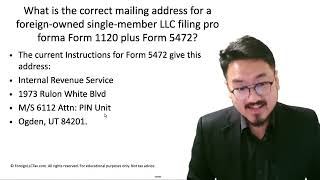
Step 4 — Mail. Use international DHL Express, FedEx International Priority, or UPS Worldwide Express (all are §7502(f) approved PDS providers). Ship to the Ogden PIN Unit address as documented in [our IRS mail checklist](/learn/foreign-owned-llc-irs-mail-checklist-5-steps-before-you-send-form-5472).
Step 5 — Track and retain. Save the tracking number, the international airbill, and a scanned copy of the entire signed package. Store all three together in your tax records.
Frequently Asked Questions
Can I use DocuSign or Adobe Sign on Form 5472?
No, not as the final signature. The IRS requires a wet-ink signature on Form 5472 under §6061. Even if you sign electronically and print, the printed digital signature can be detected and treated as unsigned. Use a pen on the printed paper.
Can my U.S. CPA sign Form 5472 for me?
Only if you have filed Form 2848 (Power of Attorney) granting them specific authority to sign that tax form for that tax year. Without Form 2848 on file with the IRS, your CPA's signature is invalid and can void the filing.
Does the original signature requirement apply to fax submissions too?
Yes. Even when faxing, you must first sign the original on paper with ink, then scan or fax the signed original. A fax of an unsigned form, or a fax of a digitally signed form, does not satisfy §6061.
What if I mail the wrong copy (the photocopy) by accident?
If the IRS detects it, they will treat the filing as unsigned and request you re-file with the original. This can push you past the §6038A filing deadline if it happens close to the deadline. Always confirm before sealing the envelope: the page you're mailing should have wet ink — pen indents you can feel with your fingernail.
IRS Form 5472 Instructions
Official IRS source on irs.gov
Listen on Spotify
Money & Tax Talk with Rippa — 5/5 rating
Never miss an IRS deadline
Get free email reminders for Form 5472, state annual reports, quarterly estimated tax, and OBBBA rule changes — built for foreign-owned LLC owners. No spam. Unsubscribe anytime.
We respect your privacy. No spam, ever.
Need to file your foreign-owned LLC return?
Skip the CPA bill. Our guided wizard builds your IRS-ready filing package, step by step.
Includes its walkthrough video pack
Start filing →
Ask the AI tools, free
Tax Return Drafter, Catch-Up Planner, Form Reviewer, IRS Notice Decoder — purpose-built AI tools, no signup needed.
Free tier · BYOK Anthropic/OpenAI for power use
Browse tools →
Starting your foreign-owned LLC?
Vetted partners we use ourselves: doola & Firstbase for formation, Mercury for banking, Alohi for IRS faxing.
No-fluff recommendations, no Northwest
See partners →
More on Form 5472 & Foreign-Owned LLCs
Foreign-Owned LLC IRS Mail Submission — 5-Point Pre-Mail Checklist
Foreign-Owned LLC IRS Mail Checklist: 5 Steps Before You Send Form 5472
 1:30
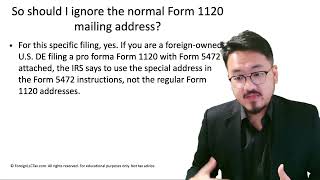
1:30Why Foreign-Owned LLCs Ignore the Standard Form 1120 Mailing Address
Form 5472 Field-by-Field Guide for Foreign-Owned LLCs
Form 5472 Field-by-Field Guide for Foreign-Owned LLCs (2025-2026)
 1:07
1:07Disregarded Entity Explained: How Single-Member LLCs Are Taxed by the IRS
 1:30
1:30After Finishing Form 1120 & 5472, What's Next? Submission Walkthrough
 2:00
2:00