Faxing Form 5472: Which Send-Dialog Settings to Enable (and Why HD Is a Trap)

Key Takeaways
- Only two send-dialog settings should be on: auto retry on failure (3 attempts, 5 min) and auto resume on partial send
- Counterintuitively, HD fax should be OFF — older IRS receiving systems can have compatibility issues with HD
- Don't schedule the fax for later — you want immediate transmission feedback
- Government receiving lines reward boring, standard transmissions; anything unusual increases manual-review risk
- Allow ~1 minute per page for fax transmission; check the outbox after five minutes for delivery confirmation
The Send Dialog Has More Options Than You Need — Here's What to Touch
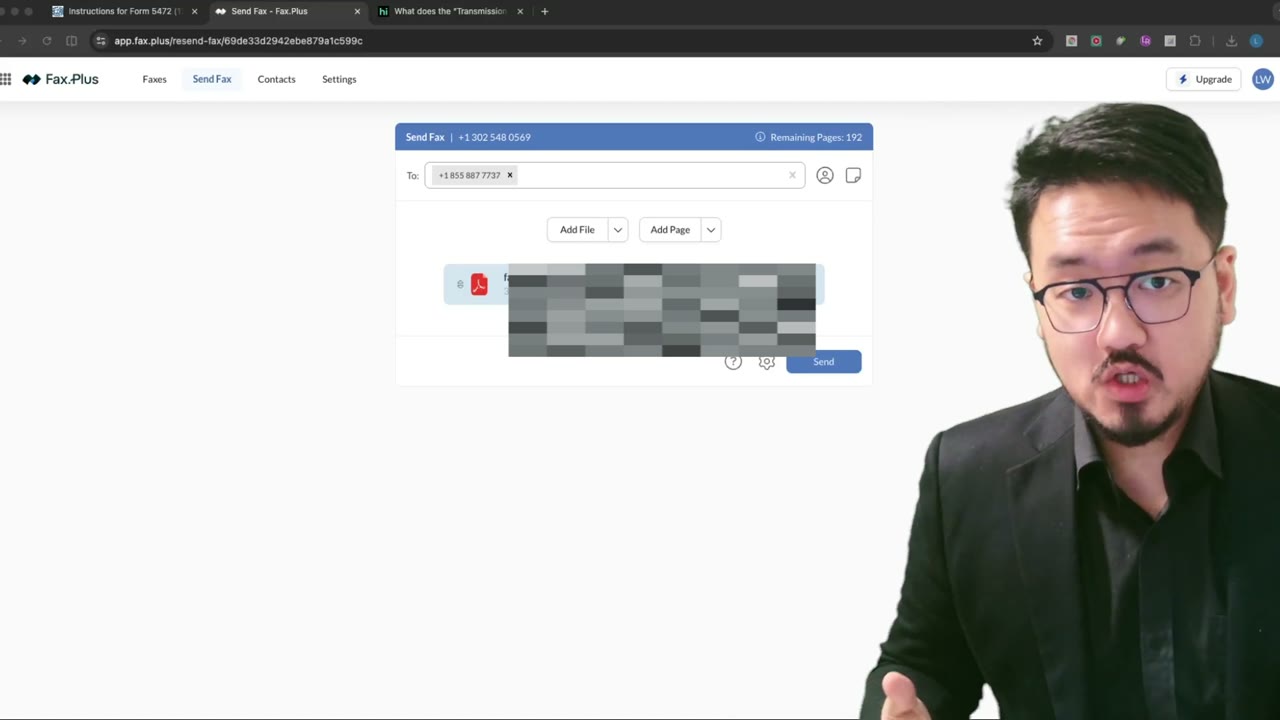
When you click Send on fax.plus, a gear icon opens an options panel with a dozen toggles. Most of them are tempting and most of them are wrong for an IRS fax. The two that actually matter — auto retry on failure and auto resume on partial send — should be on. Everything else should be off, and the reason is the same in every case: the IRS fax line behaves like a government line, and government lines reject anything unusual.
Schedule Transmission — Off
Don't schedule the fax for later. You want immediate feedback on whether it transmitted successfully. A scheduled send leaves you waiting overnight only to discover the next morning it failed at 3 AM and you have to start over. Unless you have a specific reason to delay (almost no one does for an IRS filing), send it now and watch it land.
Auto Retry on Failure — On (3 retries, 5 minutes apart)
The IRS line gets busy, especially around quarterly deadlines. A first attempt that fails is usually a transient busy signal, not a permanent problem. Set auto retry to 3 attempts with 5-minute intervals. The service handles the retry loop in the background and shows you the final outcome. Most failures resolve on retry one or two.
Auto Resume on Partial Send — On
If the connection drops mid-transmission (rare but happens), auto resume picks up from where it left off instead of restarting from page 1. Without this, a 5-page package that drops on page 4 sends pages 1–4 once, then pages 1–5 again, and the IRS receives a duplicate that confuses processing. Always on.
Fax to Human-Operated Telefax — Off
This setting routes the fax through a human operator on the receiving end. IRS fax numbers are machine-receiving lines, not staffed answer points. There's nobody on duty to pick up — especially across time zones — so this option silently increases failure rate. Off.
Email Receiving PDF of the Fax — Off
The IRS doesn't accept this. The setting is for situations where you fax a company that also wants the file by email — adds the extra channel automatically. The IRS only reads the fax, never the email, so adding the email just introduces an unusual element. Stick to standard.
Send as High-Definition (HD) Fax — Off (This One Surprises People)
This is the counterintuitive one. The IRS says they want 300+ DPI, so HD looks like the right choice. It isn't. HD fax uses an extended fax protocol that some older receiving systems — including, by all accounts, the IRS receiving system — don't fully support. An HD fax to an older receiver can drop, garble, or arrive blank.
The plain black-and-white standard fax is ironically safer here. Your source PDF is already 300 DPI (from flatten or image export), and the standard fax mode delivers it cleanly. HD doesn't get you any more revenue, just more risk.
The Pattern: Don't Introduce Anything Unusual
The unifying rule across all these settings is: don't introduce anything unusual. The IRS processing center handles thousands of faxes a day on standard equipment. Anything non-standard increases the chance a human has to manually intervene, and human intervention means weeks of delay. Boring is safer. Click save on the two settings you turned on, leave everything else off, and click Send.
Fax Is Not Email — Allow Five Minutes
Fax transmits at about one page per minute. A 5-page IRS package takes roughly five minutes to fully transmit. Don't refresh the dashboard every 10 seconds expecting an instant result — you'll panic. Go check the outbox in five minutes; the status should have moved from "sending" to "delivered." The dashboard shows the date and timestamp, which is your proof of timely filing. Some careful clients screen-record the entire transmission — that's also fine. The more proof you keep, the more defensible the filing is.
Frequently Asked Questions
Why is HD fax dangerous when the IRS wants 300 DPI?
HD uses an extended fax protocol some older systems don't support. Standard black-and-white fax at a high-DPI source PDF gets you the same effective resolution with broader receiver compatibility. The IRS receiving system is old enough that HD adds risk.
Should I screen-record the transmission as extra proof?
If it gives you peace of mind, yes — clients do it. The transmission report PDF that fax.plus generates is already strong proof, but a screen recording is an extra layer that costs nothing.
What if my fax fails after all 3 auto retries?
The IRS line is overloaded — usually around April 15 or quarterly deadlines. Wait an hour and resend manually. If it consistently fails over a day, double-check the fax number one more time against IRS.gov; misdialed numbers fail this way.
IRS Form 5472 Instructions
Official IRS source on irs.gov
Listen on Spotify
Money & Tax Talk with Rippa — 5/5 rating
Never miss an IRS deadline
Get free email reminders for Form 5472, state annual reports, quarterly estimated tax, and OBBBA rule changes — built for foreign-owned LLC owners. No spam. Unsubscribe anytime.
We respect your privacy. No spam, ever.
Need to file your foreign-owned LLC return?
Skip the CPA bill. Our guided wizard builds your IRS-ready filing package, step by step.
Includes its walkthrough video pack
Start filing →
Ask the AI tools, free
Tax Return Drafter, Catch-Up Planner, Form Reviewer, IRS Notice Decoder — purpose-built AI tools, no signup needed.
Free tier · BYOK Anthropic/OpenAI for power use
Browse tools →
Starting your foreign-owned LLC?
Vetted partners we use ourselves: doola & Firstbase for formation, Mercury for banking, Alohi for IRS faxing.
No-fluff recommendations, no Northwest
See partners →
More on Form 5472 & Foreign-Owned LLCs
 0:48
0:48Faxing Form 5472: Why "In Transmission" Isn't "Sent" — Verifying Delivery
 3:28
3:28Faxing Form 5472 to the IRS: Fixing the XFA/XML PDF Merge Error
 2:24
2:24Faxing Form 5472: Sending the Combined PDF via a Web Fax Service (fax.plus)
Foreign-Owned LLC IRS Mail Submission — 5-Point Pre-Mail Checklist
Foreign-Owned LLC IRS Mail Checklist: 5 Steps Before You Send Form 5472
 2:00
2:00Wet Ink Signature Required for Mailed IRS Returns (Form 1120 + 5472)
 3:12
3:12